
When it came to light that CPU-Z and HWMonitor had malware hidden inside their setup files, it reminded me exactly why I use a virtual machine and why you probably should too.
I use virtual machines all the time, mainly to help me write the guides and articles I publish on this website. Using a VM, I can change any settings I want and install anything I need, all without it having any effect on my “real” computer. But security is another huge reason, and recent events have made that clearer than ever.
The Threat You Can’t Always See Coming
Most people think they’re safe because they’re careful. They don’t click dodgy links in emails, they don’t download cracks or pirated software, and they only visit websites they trust. The problem is that increasingly, that’s not enough. Malware isn’t just hiding in the dark corners of the internet anymore, it’s turning up on legitimate, well-known websites that millions of people visit without a second thought.
Two recent cases illustrate this perfectly.
The 7-Zip Incident
7-Zip itself was never actually compromised. What happened was that someone registered a convincing fake website (7zip[.]com rather than the real address 7-zip.org), and loaded it with a modified, malware-laced version of the installer. Anyone who landed on that site and downloaded what they thought was 7-Zip would end up with an infected PC, quietly turned into a proxy node without their knowledge.
Now here’s the uncomfortable truth: you’d have had a very hard time spotting the difference. 7-Zip’s real website is minimal and functional, it’s not really the kind of place anyone visits regularly or has memorised. If the fake site looks broadly similar, most people would simply assume it was the real thing, or that the site had had a minor redesign. The download button would be right there. Why would you hesitate, after all downloading 7-Zip is why they came to the site in the first place?
The CPU-Z Compromise
The CPU-Z situation was arguably worse, because there was no fake website involved at all. The official CPU-Z website itself was compromised. Someone, whether through an external attack or, as some have suggested, an inside job, gained access to the site and swapped out the legitimate CPU-Z and HWMonitor downloads for malware-infected versions.
Think about what that means. You’re visiting the real website, at the real address, downloading what appears to be a completely normal installer. There are no warning signs, no red flags, nothing to arouse suspicion. The file is even the right size and installs exactly as you’d expect. You simply wouldn’t know.
Similar to 7-Zip, CPU-Z is a trusted tool that’s been around for decades, used by PC technicians and enthusiasts all over the world. If a website like that can be weaponised against its own users, then frankly, no download is above suspicion.
So What Can You Actually Do?
Antivirus software helps, but it’s reactive by nature, it can only catch threats it already knows about. A brand-new, custom piece of malware embedded in a legitimate installer may sail straight past it. Checking file hashes is good practice, but most people don’t do it (me included), and if the website itself is compromised, the published hash may have been swapped out too.
The most robust solution, and the one I’ve been using for years, is a virtual machine.
How I Use Virtual Machines for Security
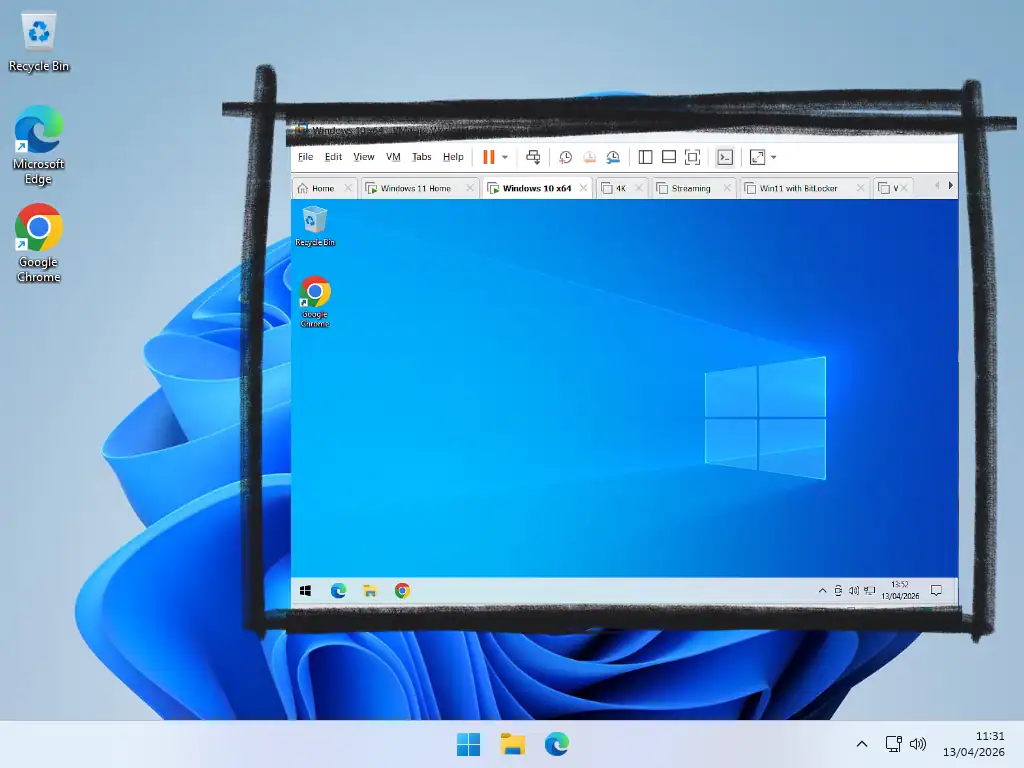
For several years now, my rule has been simple: everything from the internet goes onto a VM first. I download it there, install it there, run it there, and scan it there. Only once I’m satisfied does anything make it onto my actual PC.
Here’s why this works so well. A virtual machine is essentially a computer running inside your computer, completely isolated from your real system. If something goes wrong, if an installer turns out to be malicious or a piece of software behaves suspiciously, it’s contained entirely within the VM. It cannot spread to your real machine. When you’re done, you can simply discard the VM and spin up a fresh one. No harm done.
This approach gives you a proper sandbox in which you can evaluate software before you commit to installing it on your actual system.
It’s not about being paranoid, it’s about having a safety net for the moments when even legitimate sources let you down.
“But I’m Not a Tech Person”
Virtual machines used to be the preserve of developers, IT professionals, and enthusiasts. That’s genuinely no longer the case. Tools like VirtualBox (free) and VMware Workstation Pro (also free for personal use) have made setting up a VM accessible to pretty much anyone. Trust me when I say it’s really not that difficult, you can install and use a Windows VM and all for free.
With VirtualBox and Workstation Pro you’d be setting up “proper” virtual computers, but if you happen to have a Pro version of Windows (Windows 10 or 11 Pro) then you can make use a Windows Sandbox with just a couple of clicks.
You don’t need it running all the time, and you don’t need a powerful PC, even a computer will run a virtual machine used just for testing downloads and visiting dodgy websites.
A Habit Worth Building
The CPU-Z and 7-Zip incidents are unlikely to be the last of their kind. As software supply chains become a more attractive target for attackers, we’re going to keep seeing cases where the download you trusted turns out to be something else entirely.
A virtual machine won’t protect you from everything, but it puts up a wall between the unknown and your real system. It’s one of the most practical security habits you can build and once it becomes second nature, it costs you almost nothing.
Final Thoughts
Your computer stores so much personal data without you even realising it. Logins and passwords as well as files, such as documents and pictures, that should remain private. Having your computer infected with info stealers, ransomware, or being taken over by a hacker isn’t a joke. It’s real and you need to protect yourself.
One of the real human issues I deal with when cleaning up a clients PC after an infection is the thought that they should have known. That they could have avoided it. I really don’t think that’s the case. As “bad actors” across the internet become ever more inventive the human eye just isn’t something you can rely on. You really won’t “see it coming”.
A virtual machine can be thought of as a sacrificial computer. It doesn’t contain any of your personal data and is quickly replaced. Lesson learned, move on.
Related Guides
How to Protect Your Data When Sending Your PC in for Repair
Worried about what the technicians are doing with your PC in the repair shop? You should be. While most techs are honest and trustworthy there are always those few that will ruin anyone’s day. There are steps that you can take to protect your privacy.
Calendar Templates
PowerPoint and Word calendar templates for 2027.

Free download calendar templates for 2027. Add your own dates and pictures.
You can find this and other related step by step guides in – At Home
Written by Jeff Porter. I’ve been fixing Windows PCs since 2010 and I’m CompTIA Network+ certified. More about me